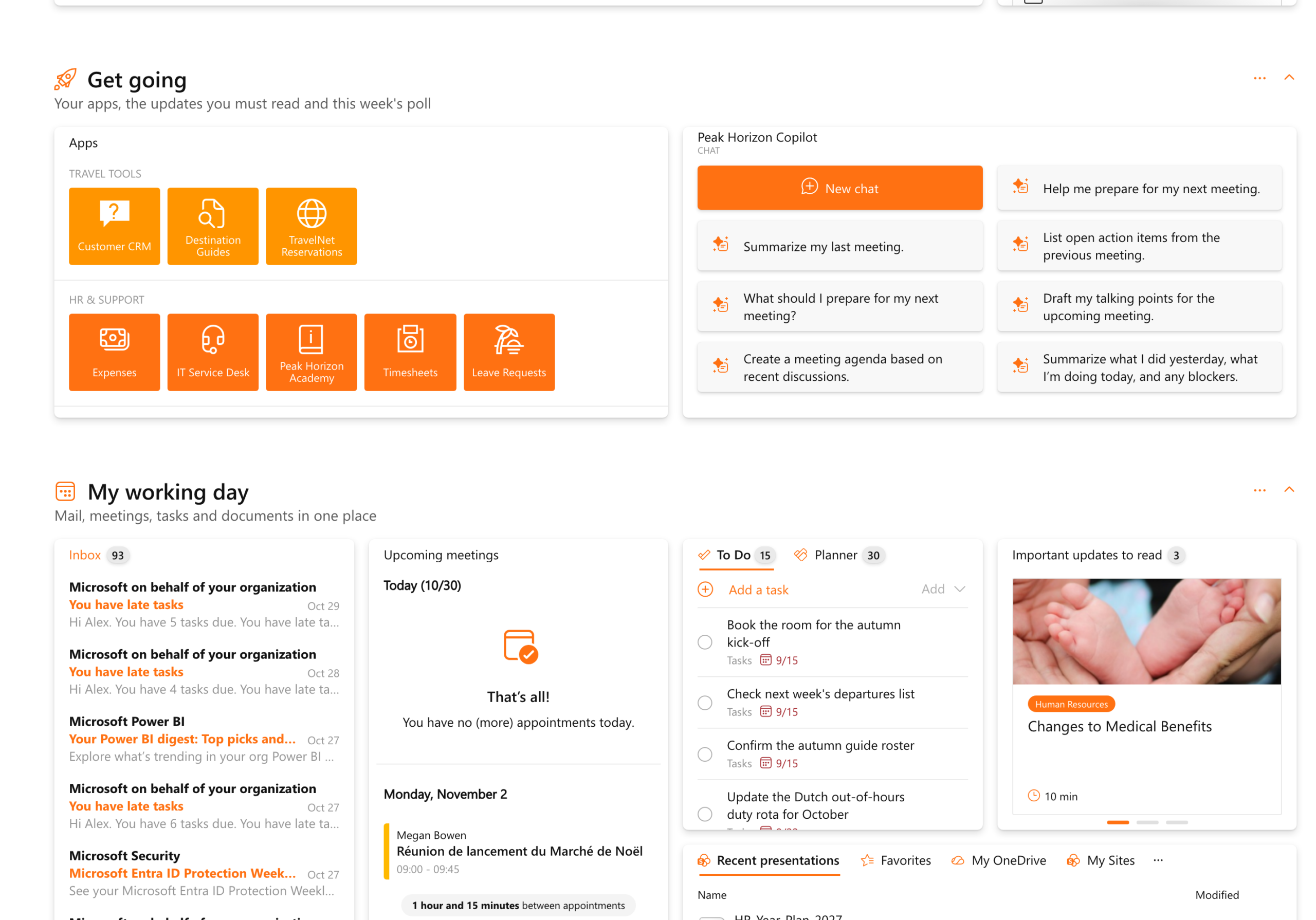
Sections bring order to a full board. Group your widgets under titles of your own, put them in the order that suits you and fold away what you don’t need right now. Sections are now in Bloom Hub, on personal boards, shared boards and board templates.
A section is a band on your board with a title, an icon and a short line underneath. News holds the company news and events, My working day brings mail, meetings, tasks and documents together, and Colleagues has the birthdays and the marketplace. As you scroll, the headers show where you are, and the arrow next to a title folds a section away.
Add a section right where you need it
Every section has its own menu next to its title. Add section places a new one above or below it, Move shifts it up or down the board, and Add widget puts a widget straight into it. The + at the top of the board offers Add section too, next to Add widget and Add buddy.

Every widget in the right place
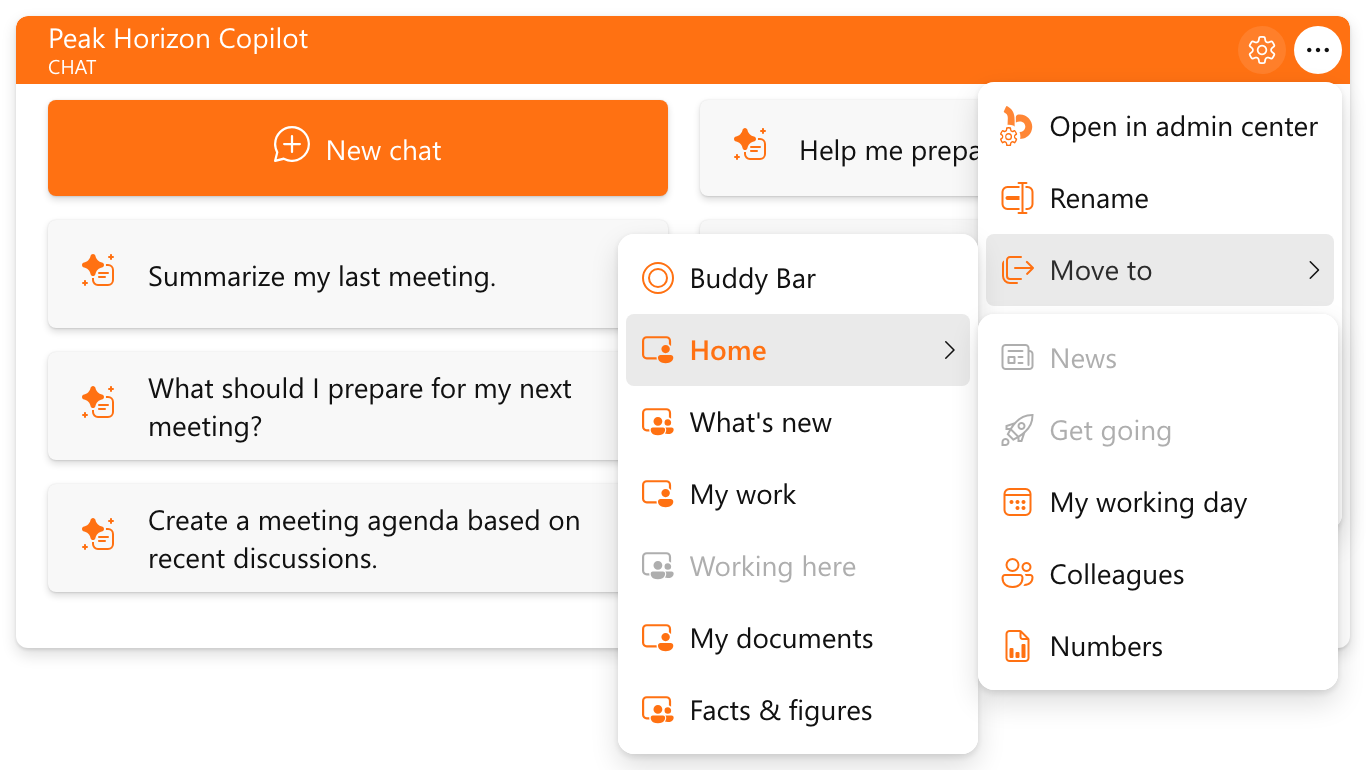
Drag a widget by its header into another section, or open its menu and point at Move to. Every board with sections opens a list of them, so a widget goes to a section on this board or another one in a few clicks.
The whole board in one view
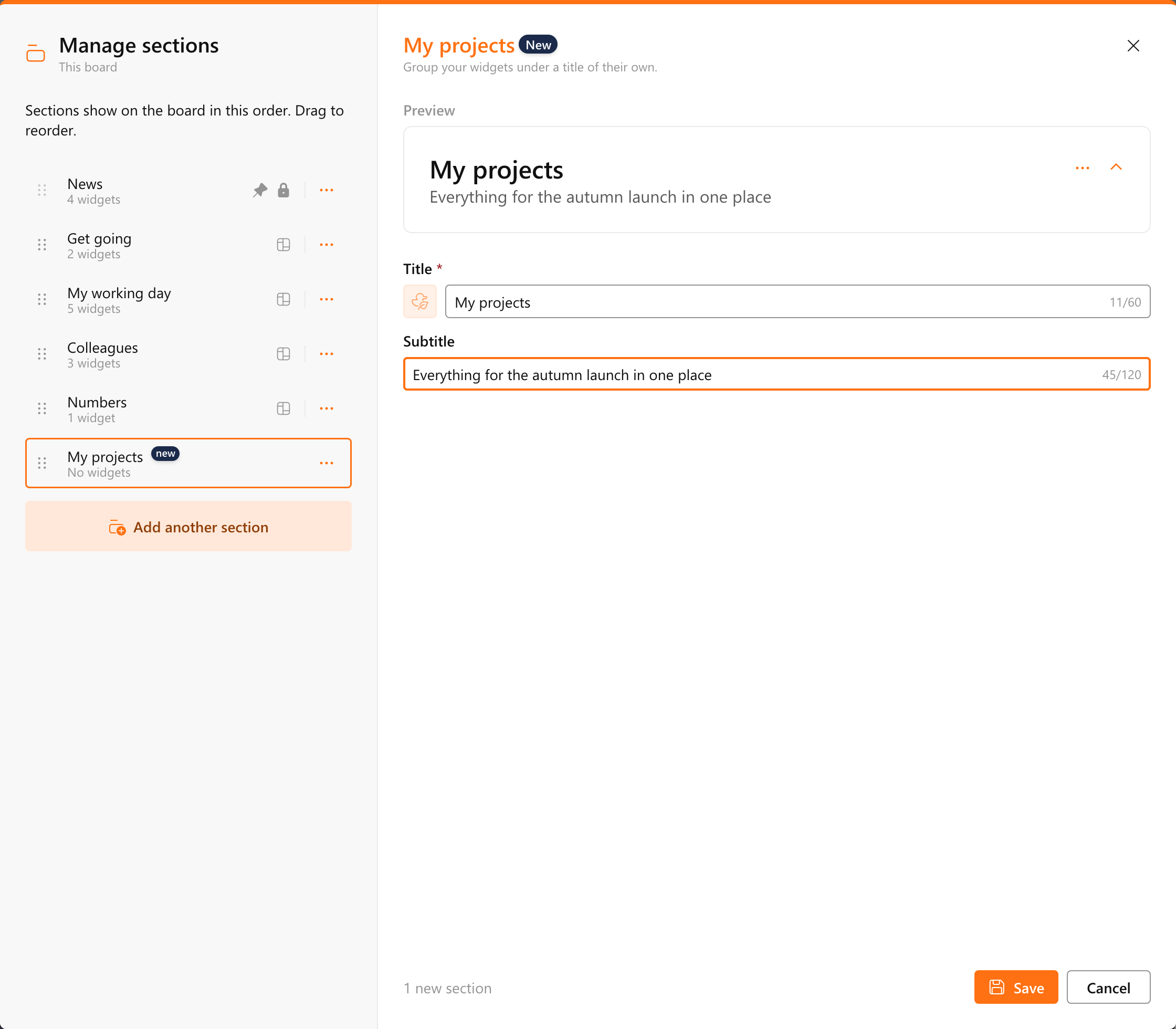
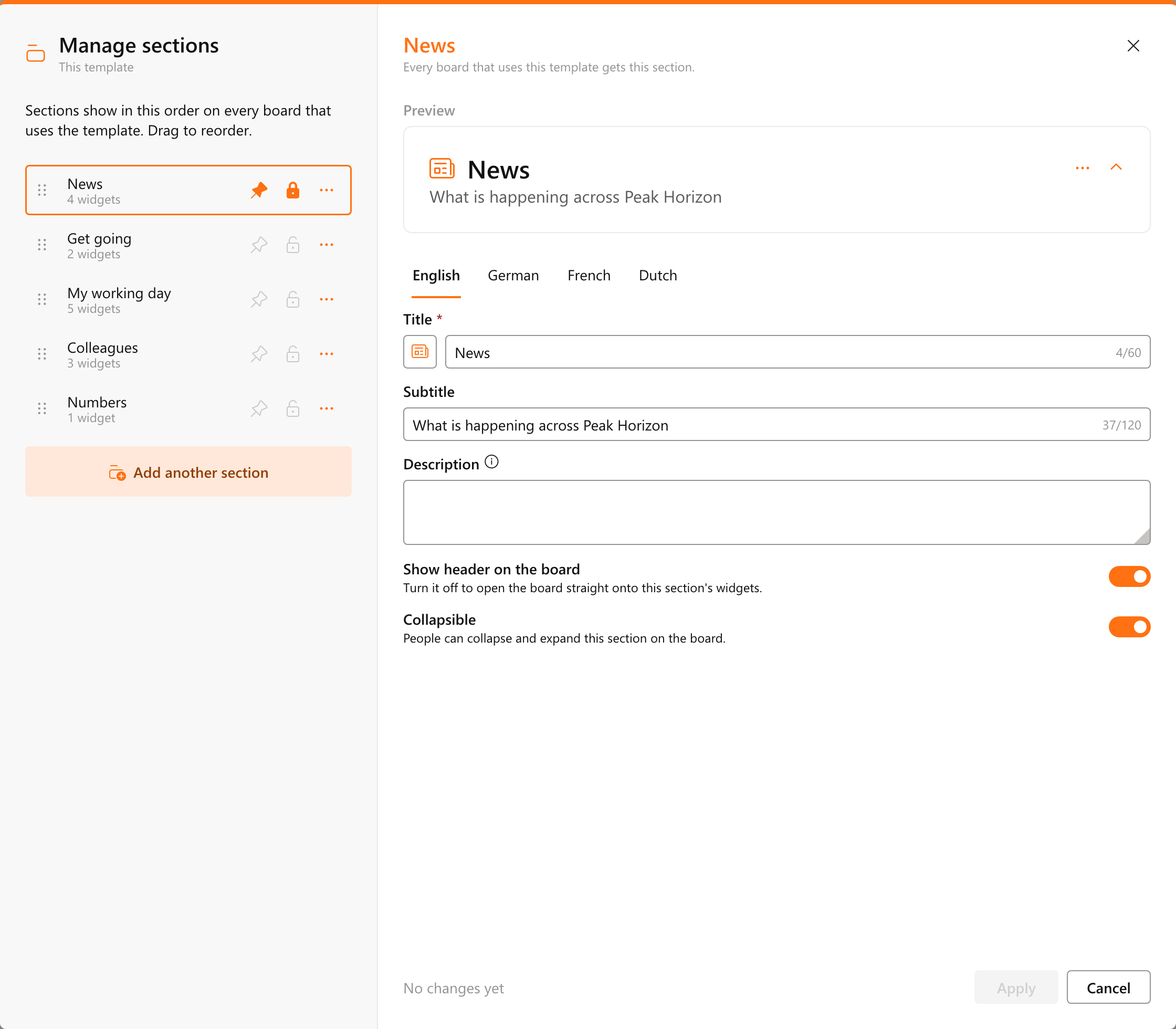
Manage sections, in the board menu under This board, lists every section in order with the number of widgets in each. Drag them into the order you like, give a section its title, icon and subtitle, and see in the preview how the header will look. Each section in the list also has a menu with Duplicate, Move and Remove.
Shared boards in every language
Owners of a shared board fill in the title and subtitle of a section per content language, so every visitor reads them in their own language. Each section can be collapsible, and the top section can go without a header, so the board opens straight onto its most important widgets.
Your organization sets the sections that matter
Board templates carry sections too, and every section in the template’s list has a pin and a lock. A pinned section always stays at the top of the board. A locked section stays on every board and keeps the widgets you chose for it. Around those, colleagues add and arrange sections of their own. In General settings you decide whether people may add sections to their personal boards, and whether owners may add them to shared boards.
One look on every board, set in your theme
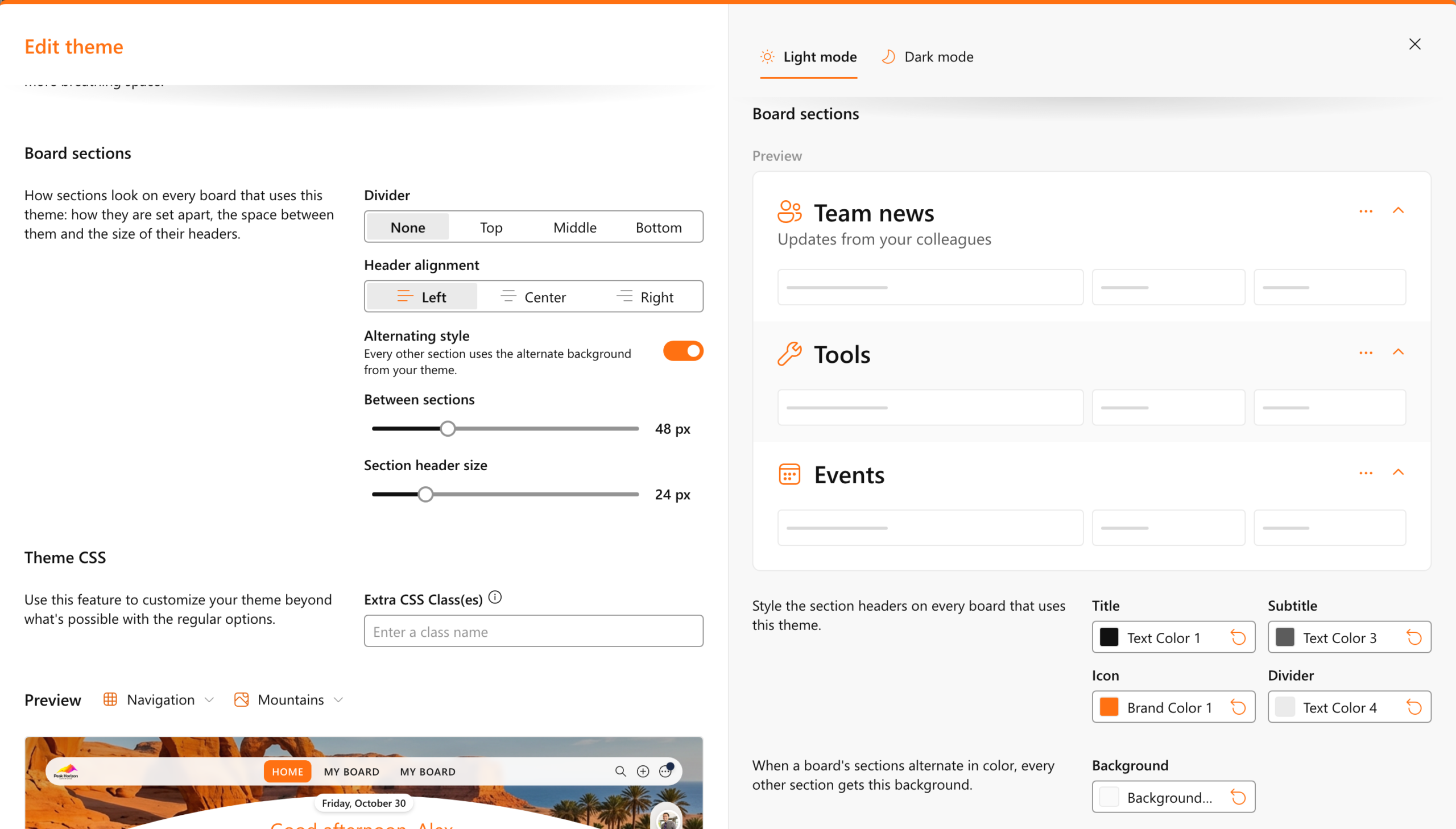
How sections look is part of your theme, so they look the same on every board. Choose a divider at the top, middle or bottom of each header, align the headers left, center or right, set the space between sections and the size of their headers, and give every other section an alternate background. The colors for the title, subtitle, icon and divider sit right next to a preview.
Ready when you are
Sections are available in Bloom Hub now. The boards you use today keep their layout, with all their widgets in one section until you add the next.
Curious how it fits your organization? Book a demo.