Ask your colleagues a question and see the results come in live

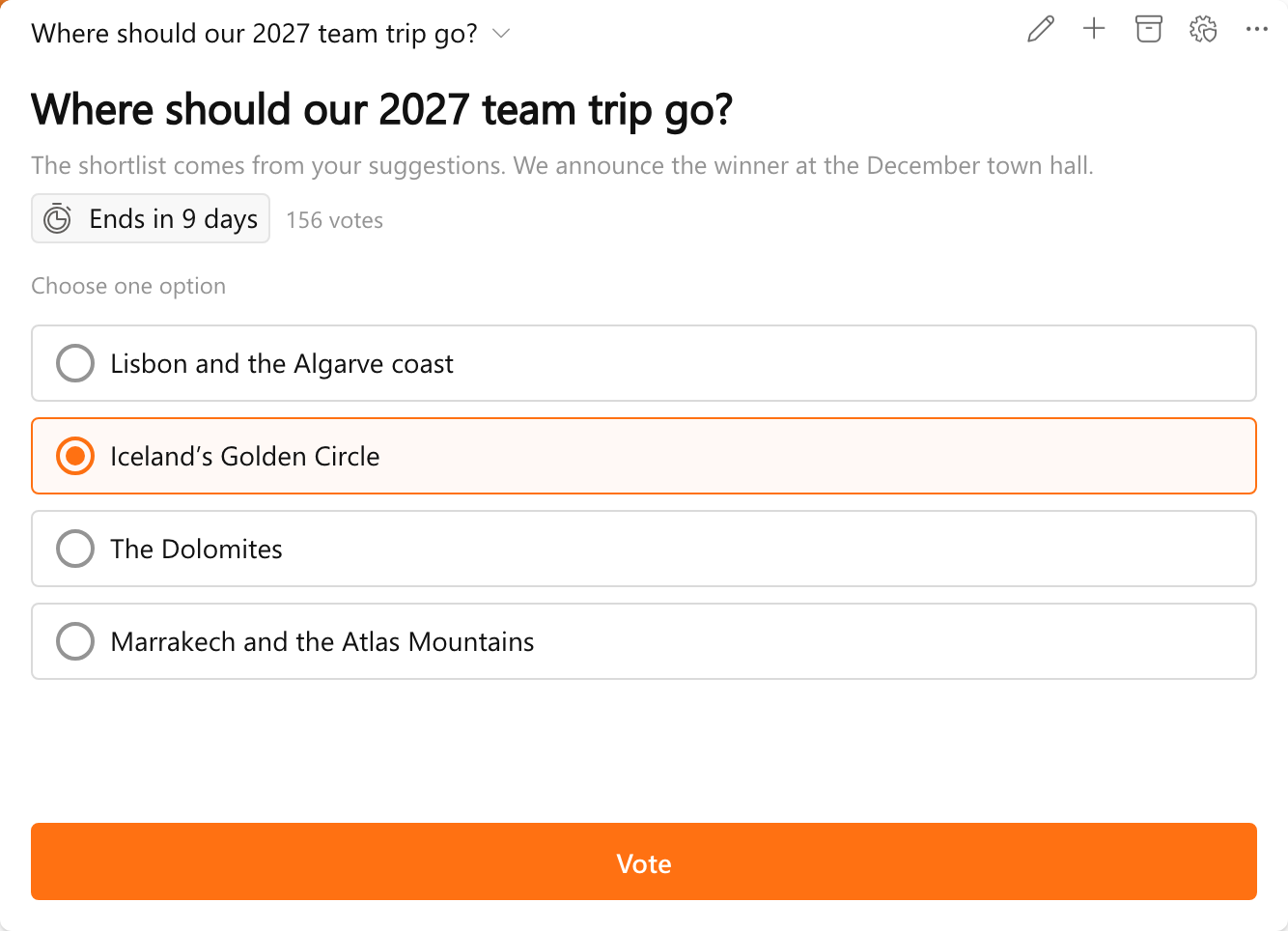
Ask your colleagues a question right on the board and see the results come in live. That is what the new Polls widget for Bloom Hub does.

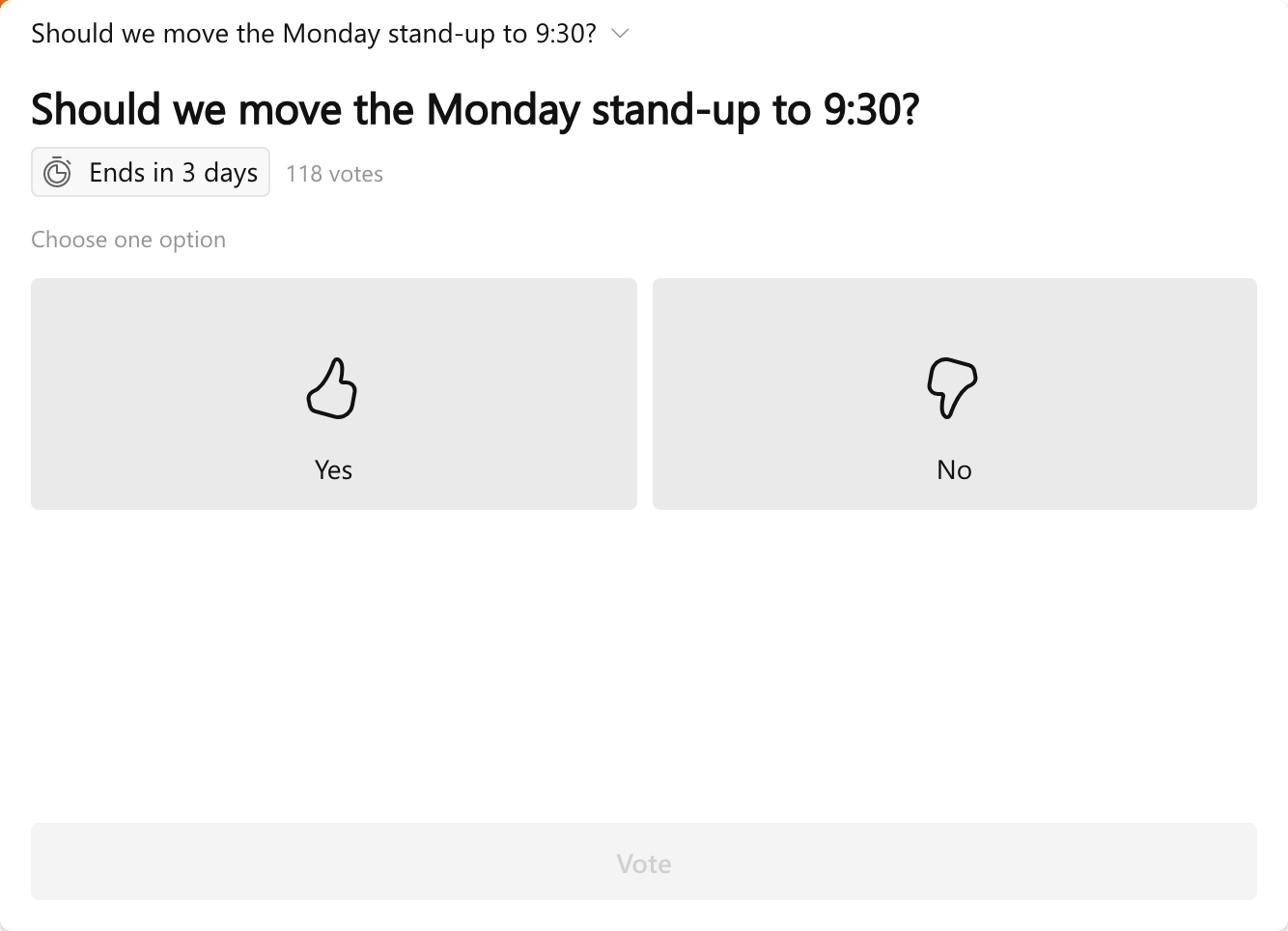
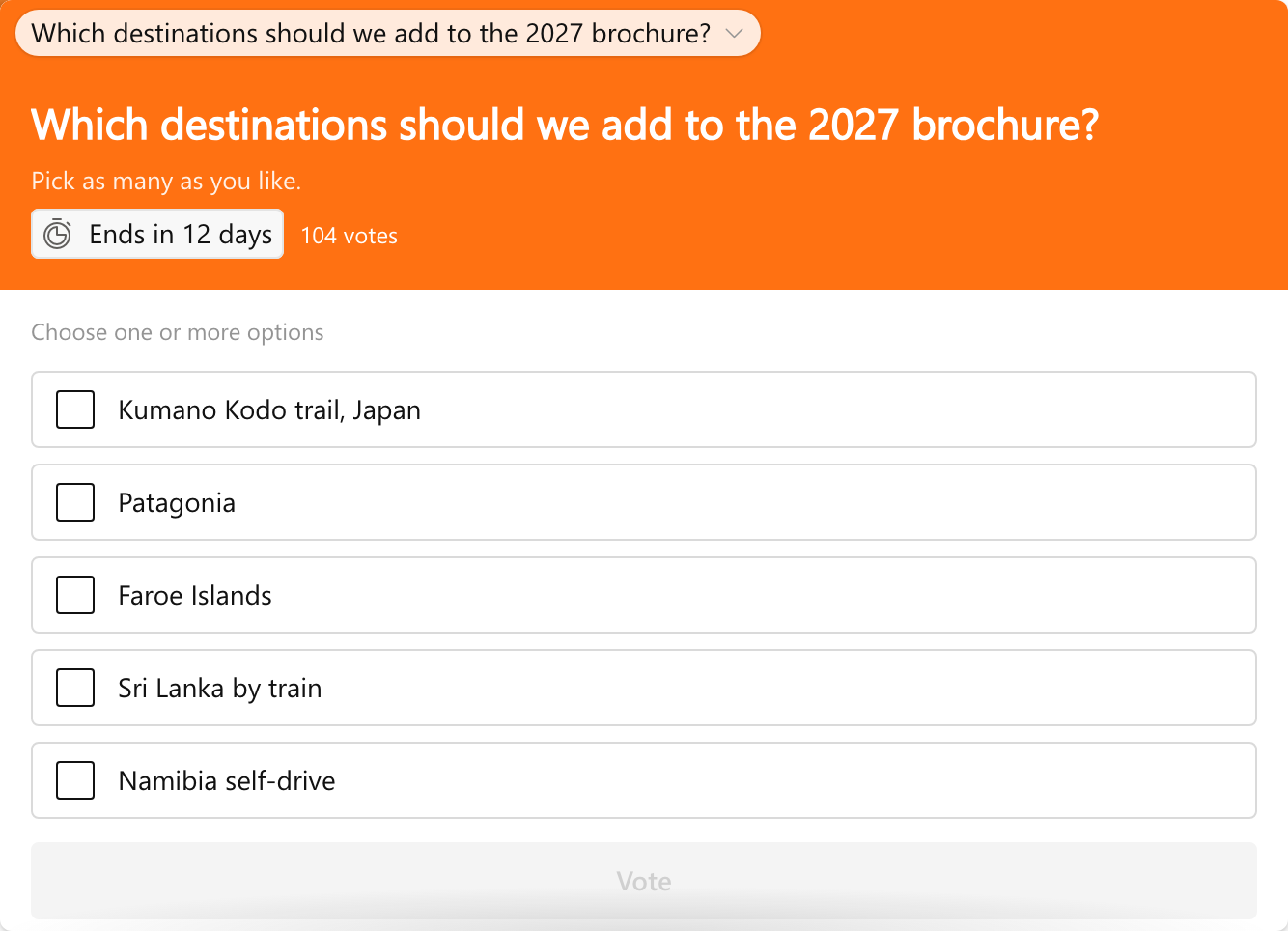
The question sits at the top, with a short explanation, how long the poll runs and how many people have voted so far. Pick an answer and click Vote. When several polls are open, the menu at the top of the widget switches between them: the destination of the 2027 team trip, the new brochure, the time of the Monday stand-up.

Results the moment you vote

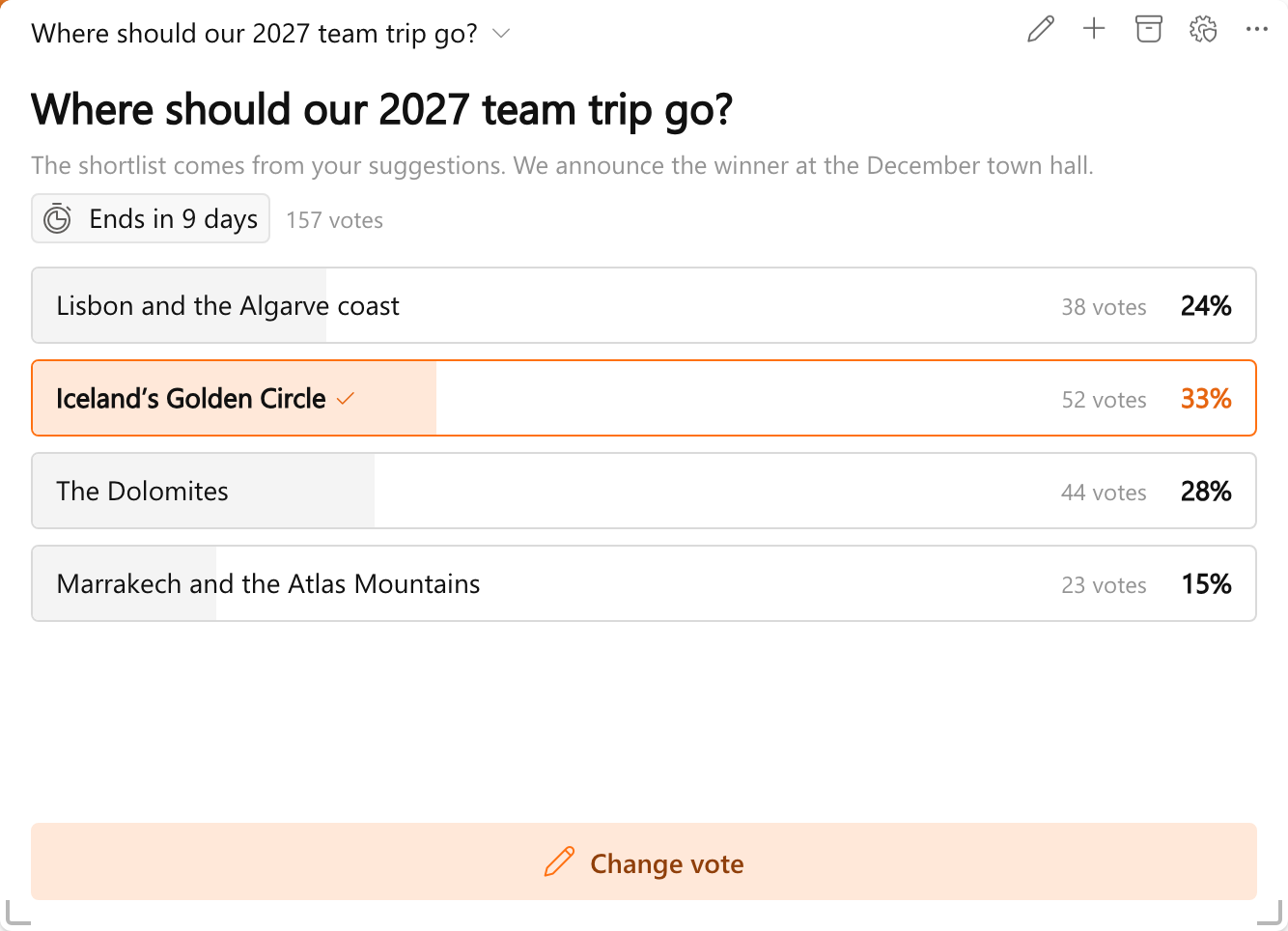
After voting, the results appear right away: the votes and the percentage for each answer, with a check mark at your own choice. Change vote lets you pick again while the poll is open.

Whoever creates the poll decides when the results show: after voting, always, or only once the poll closes. A poll can also keep the results to itself until enough people have voted, so nobody can work out who voted what.

Six kinds of questions

Besides one answer from a list, a poll can ask for several answers, one to five stars, a feeling on a scale from Bad to Great, or a simple yes or no. Should the Monday stand-up move to 9:30? One click on a thumb is enough.

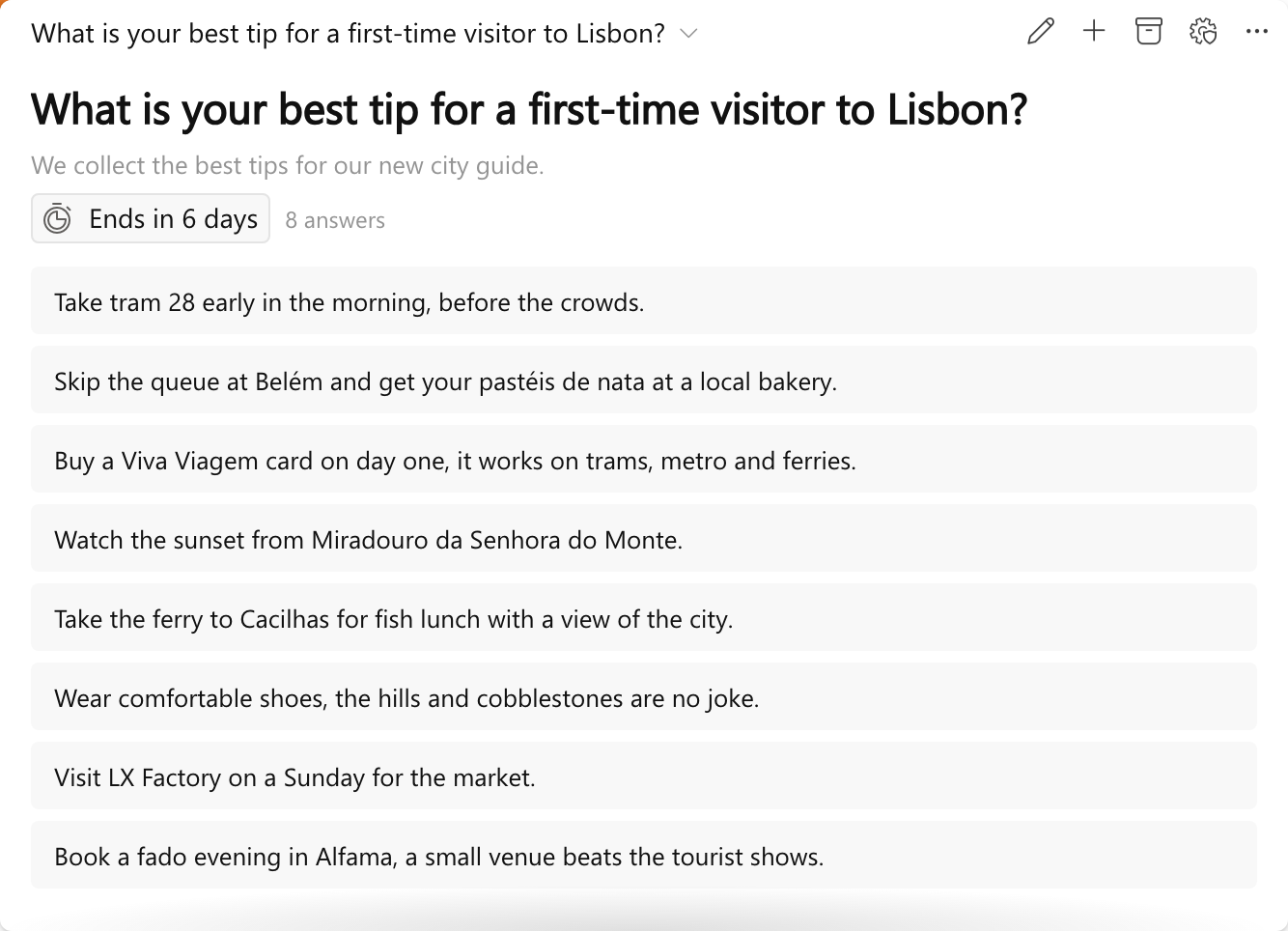
An Open question lets people answer in their own words. Answers show without a name, which makes it easy to collect ideas and tips, like the best tips for a first-time visitor to Lisbon.

Closed polls stay in the archive

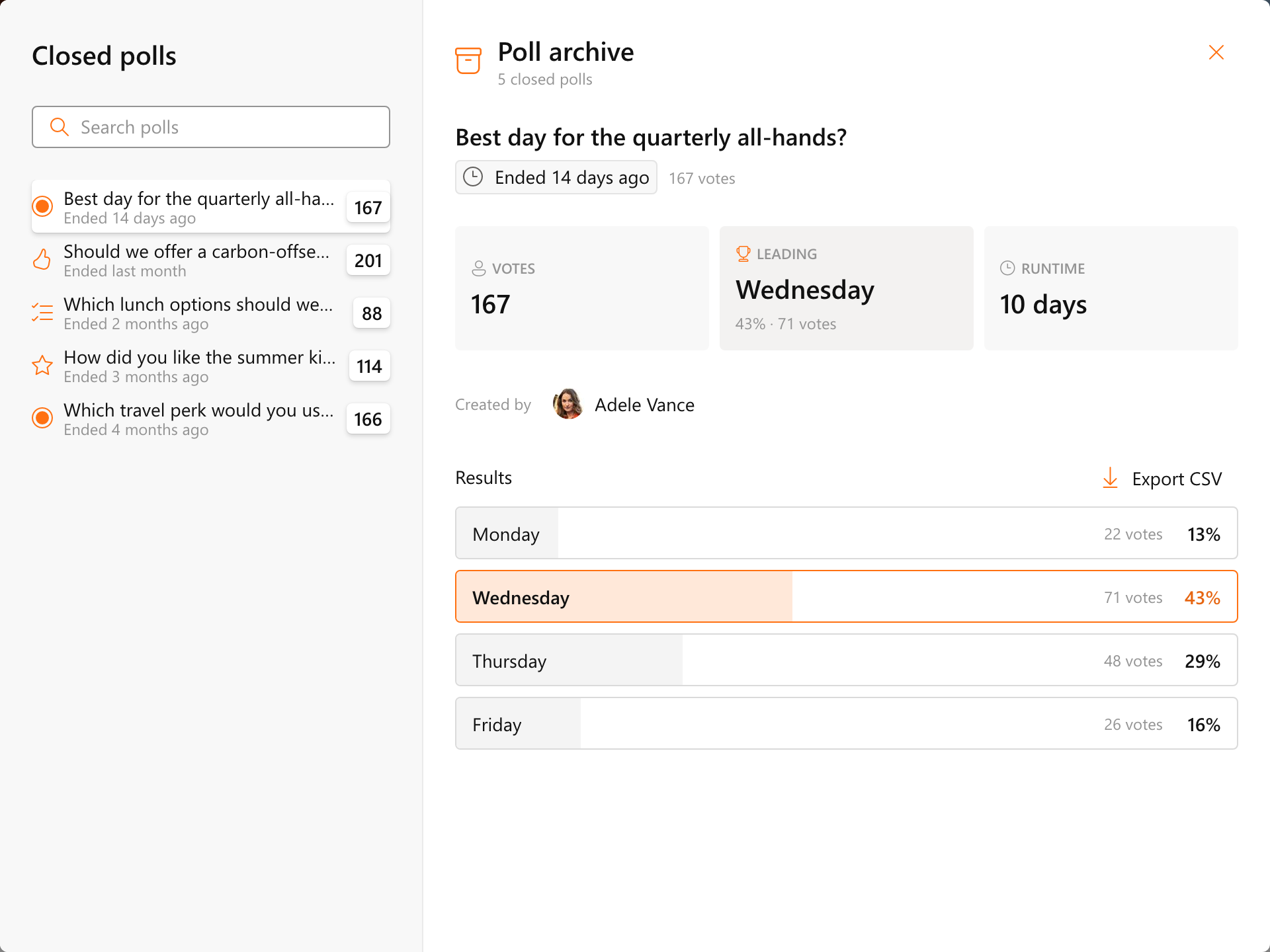
The archive button in the widget header opens the Poll archive, with every closed poll, newest first. Per poll you see the number of votes, the answer that came out on top, how long it ran and who created it. Export CSV takes the results to Excel.

Colleagues can start their own polls

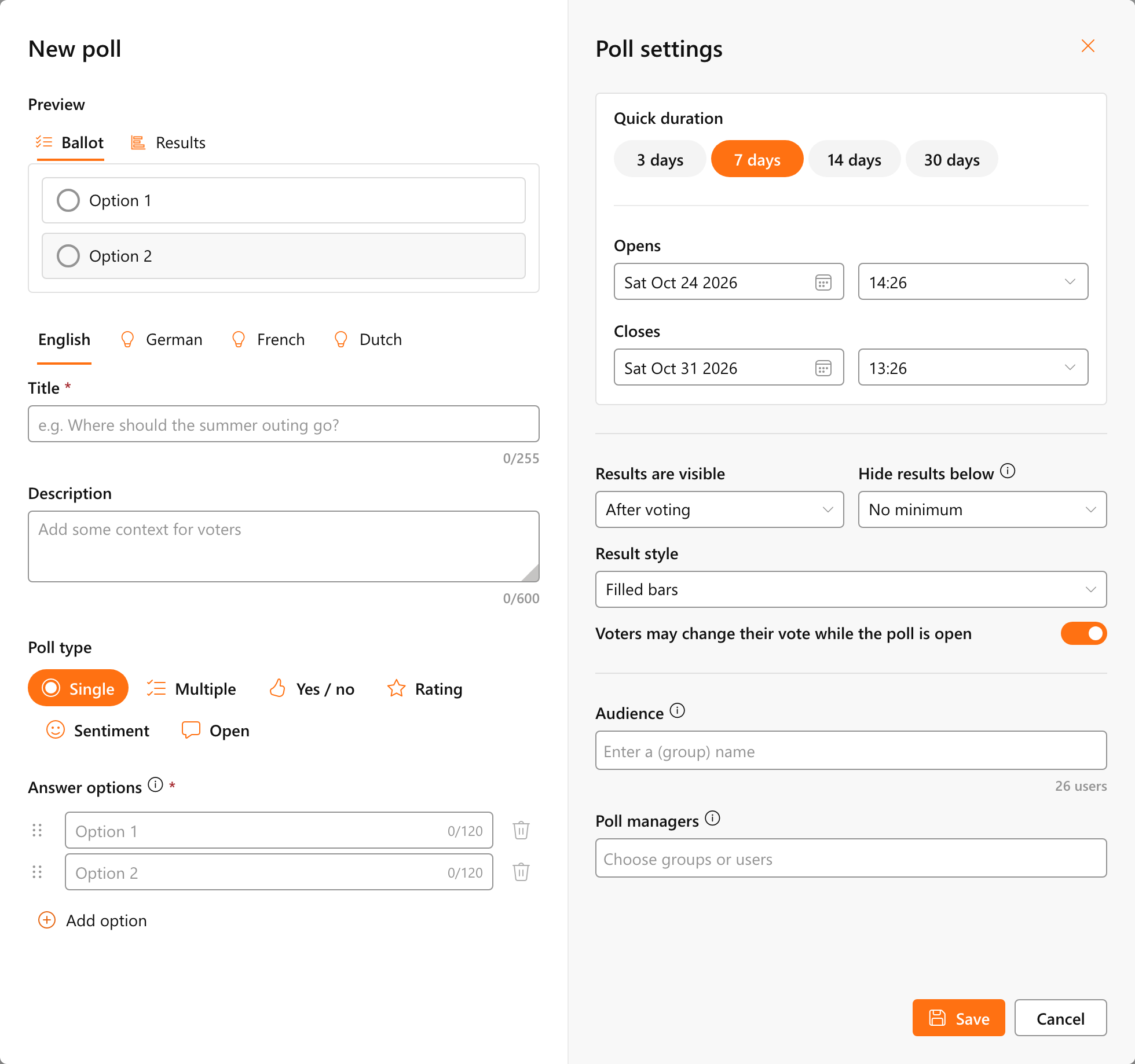
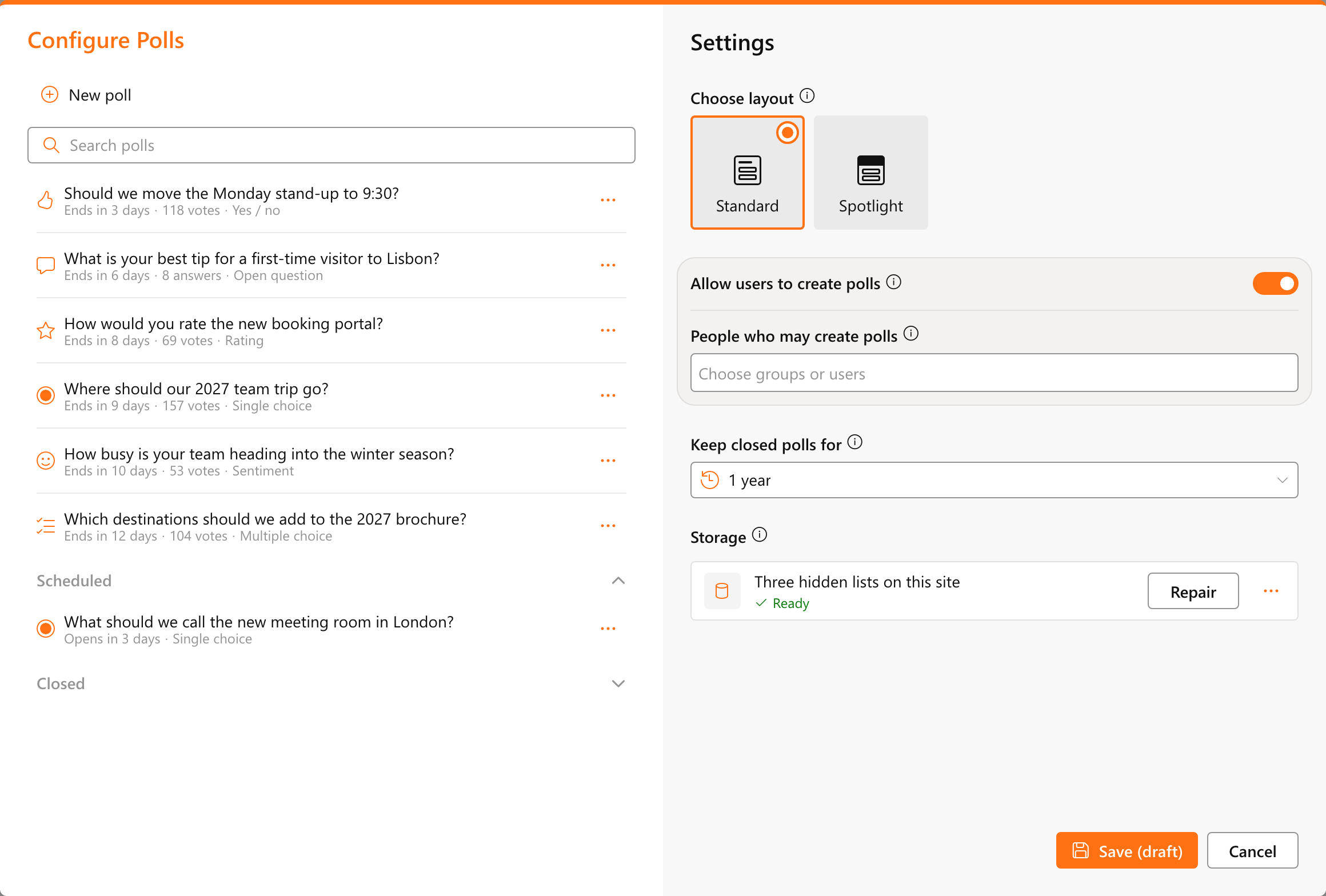
Administrators choose who may create polls, and those people get a New poll button in the widget. They write the question, pick the kind of poll and the answers, and set when it opens and closes, with a preview at the top that shows the ballot and the results. Audience decides who sees the poll, and poll managers can help keep it up to date.

Administrators keep the overview

In Admin settings administrators see every poll, grouped as open, scheduled and closed, and set how long closed polls stay in the archive. Polls, votes and results live in three hidden lists on the hub site. Each vote is only visible to the person who cast it and to site owners.

The Spotlight layout gives the widget a bolder look, with the question on a band in your theme color.

Coming soon to Bloom Hub

The Polls widget is coming to Bloom Hub soon. Once it is there, your first question is on the board within a few minutes.

Curious how it fits your organization? Book a demo.

Stay in the Loop

Related posts

The Photo Gallery widget with the albums Destinations, Team events and Our offices as tabs, and the photos in a mosaic with their title and location

Your photos, as albums on every board

DIWUG Meetup on 28 October 2026 with Garry Trinder and Pascale van Toledo, sponsored by Bloom Intranet

We’re hosting the DIWUG Meetup on 28 October

The Bloom Guide start page, with the search box, What's new, interactive guides and the articles for using and managing Bloom Hub

Every answer about Bloom Hub, right where you work

Ichicraft welcomes Silverside as partner