Planner & To Do Widget
Customize, filter, and prioritize tasks
With the Tasks Widget on your board, gain direct access to your pending tasks without the need to navigate through separate applications, maintaining uninterrupted focus on your work. Whether you utilize To Do, Planner, or both for task management, the widget streamlines your workflow, offering a centralized hub for customization, filtering, and prioritization.
No more context switching or opening multiple applications. The Tasks Widget provides immediate access to your tasks, regardless of whether they reside in To Do or Planner. Maintain a workflow without losing focus.
Highlighted features
Configure your filter to cut-out the noise
The tasks widget allows you to customize what tasks are displayed and apply various filters to them. This means you can decide which tasks from To Do and/or Planner to show, and use filters like flagged emails to further refine the task list. This gives you more control over your task management and helps you focus on the most important tasks at hand.
Tailor for your organization
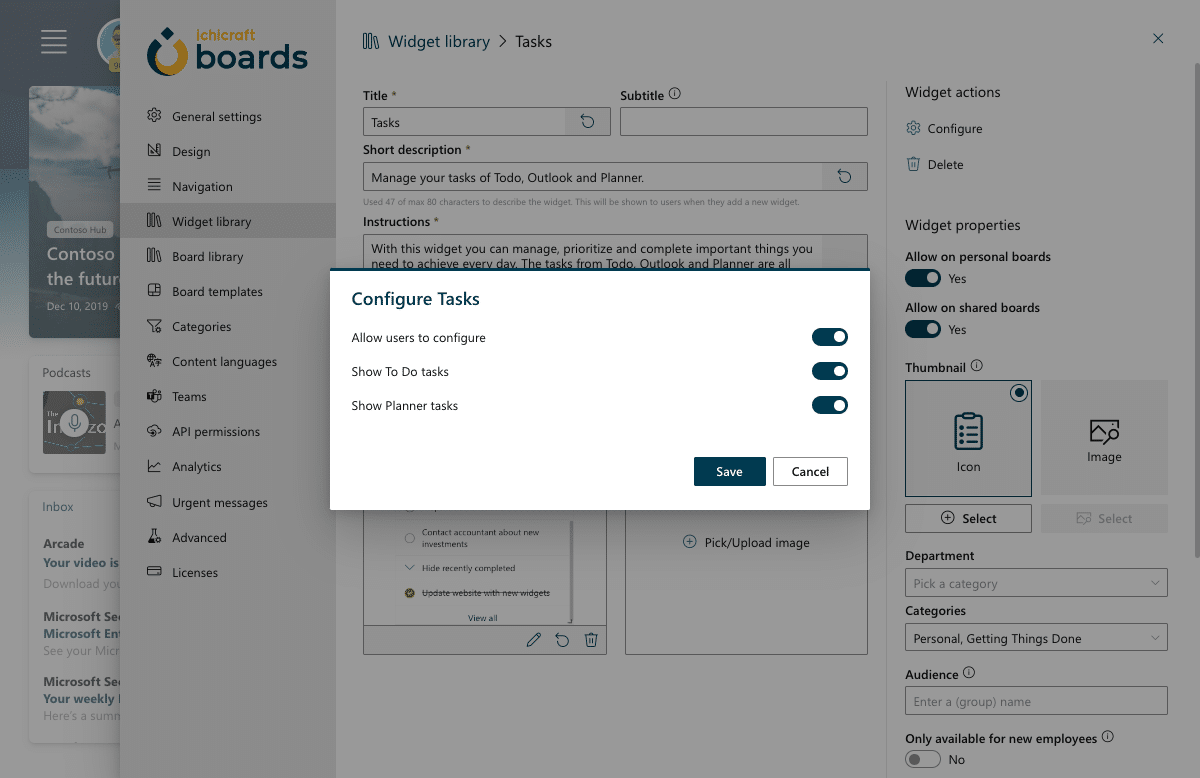
The admin configuration allows administrators to customize the tasks that are displayed in the widget. This means that administrators can now select which tasks, from To Do and/or Planner, should be shown in the widget. This added flexibility allows administrators to tailor the widget to their specific needs and display only the tasks that are relevant to their organization or team.
From a task to your first steps
Every task now has a menu with Ask Copilot in it. Help me get started turns a task into a few concrete steps you can start on today, and Copilot gathers the related meetings, mail and files as it goes.
Find related info, Draft an update and What do I need? sit right beside it, so booking the room for the kick-off starts with the calendar events that belong to it. Copilot appears for the people your admin gave access in General settings.